Introduction
Want to personalize your game interface? No problem! This guide will show you step by step how to arrange and customize every element of your user interface according to your preferences.
Step-by-Step Instructions
1. Open the Menu
2. Find UI Customization
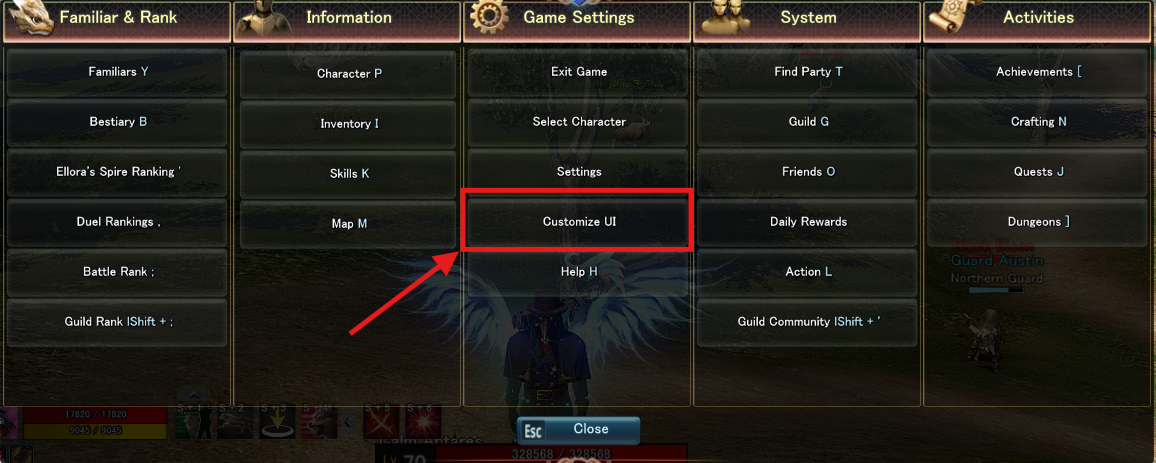
3. Activate Edit Mode
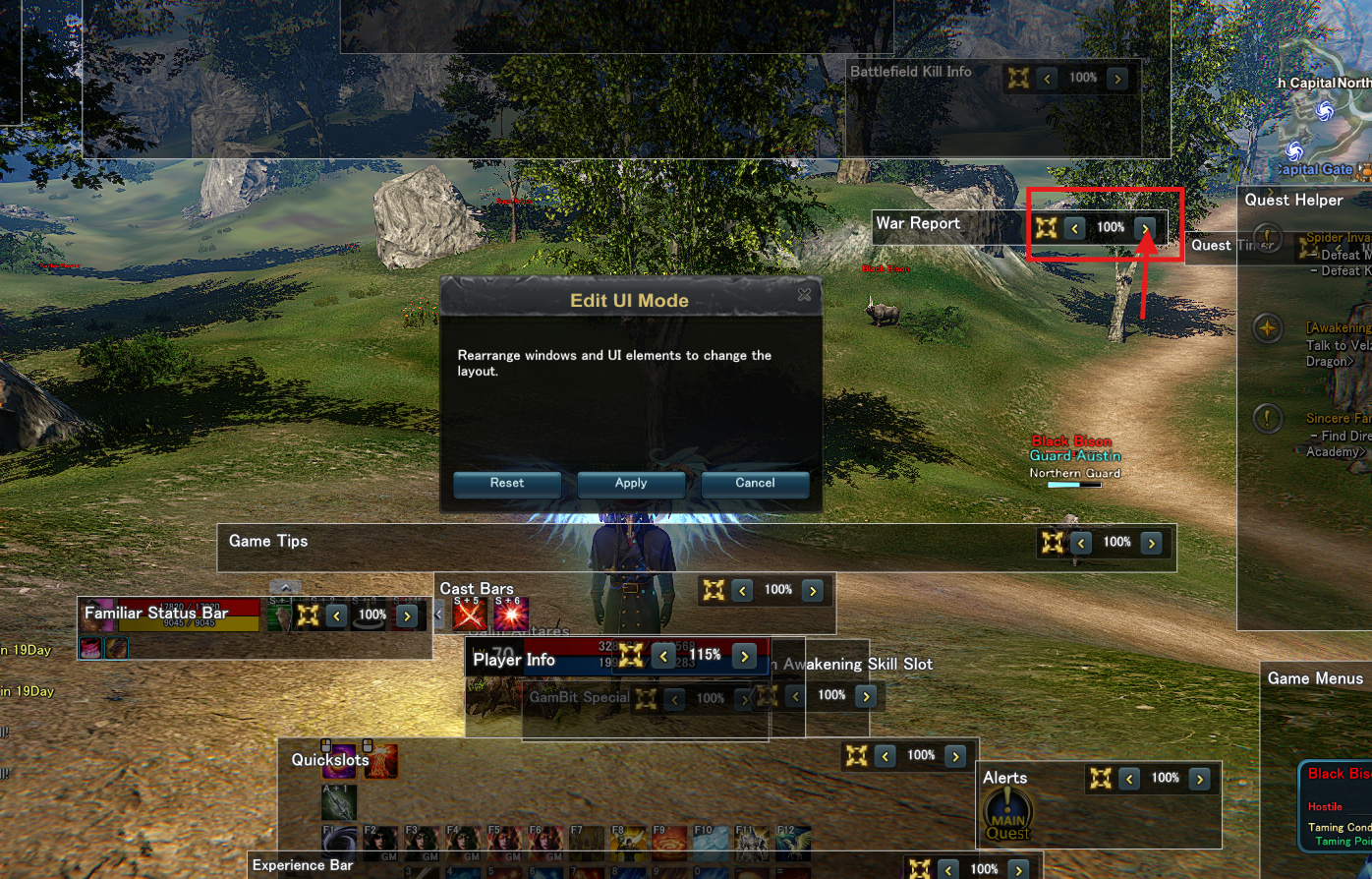
4. Customize Elements
Moving Elements:
-
Click and hold on a UI element
-
Drag it to your desired position
-
Release the mouse button to place it
Changing Size - EASY METHOD:
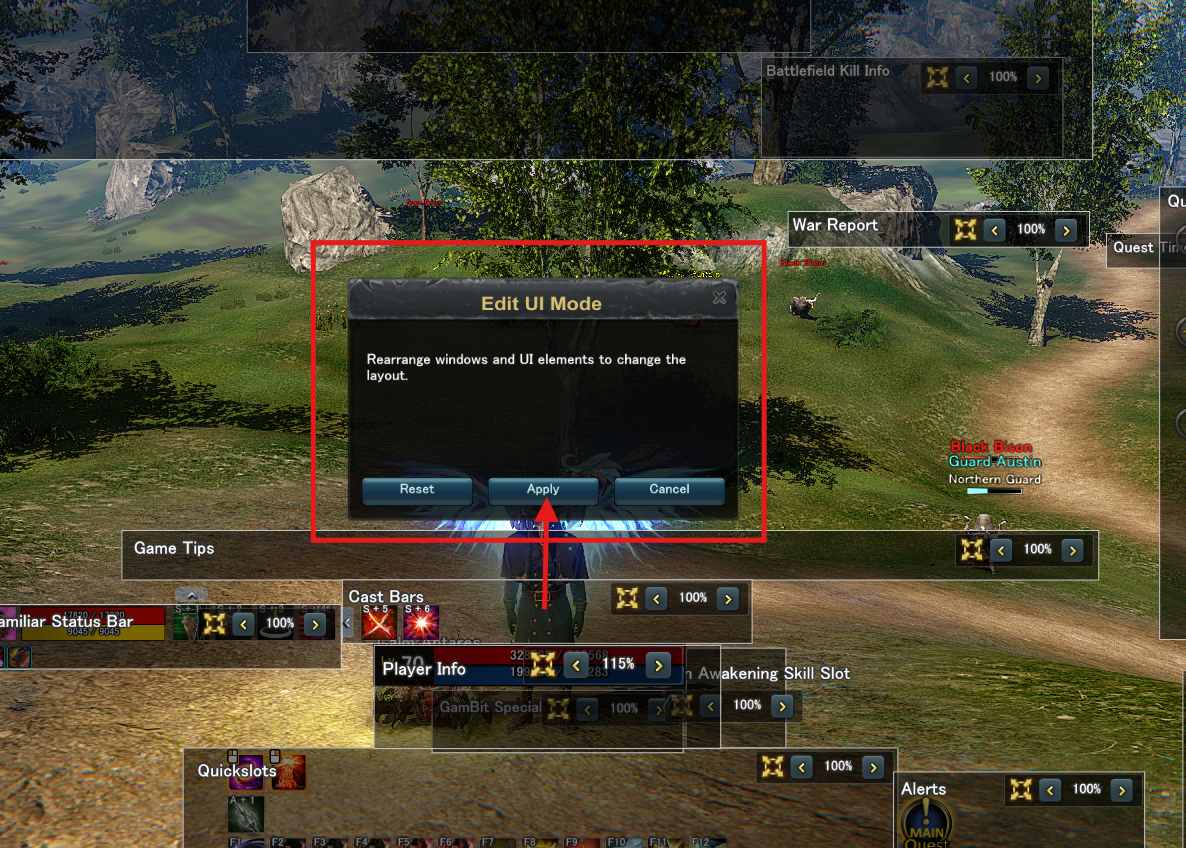
5. Save Your Changes
Conclusion
With UI customization and the convenient size adjustment using arrows in 5% increments, you can perfectly tailor your interface to your needs. Experiment with different sizes for different elements!
Don't forget to click "Apply Button" at the end to save your perfect UI with the ideal sizes!
Have fun designing and scaling your personal interface! 🎮✨