If your standard action bars don't provide enough space for all your abilities, you can easily activate an additional bar. Follow these steps:
Step-by-Step Instructions:
-
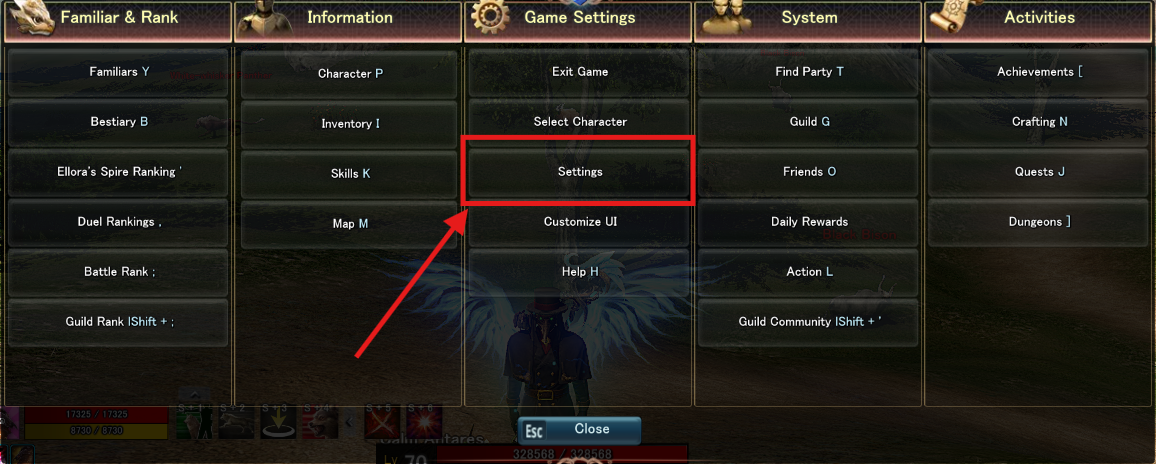
Open the Game Menu
-
Access Settings
-
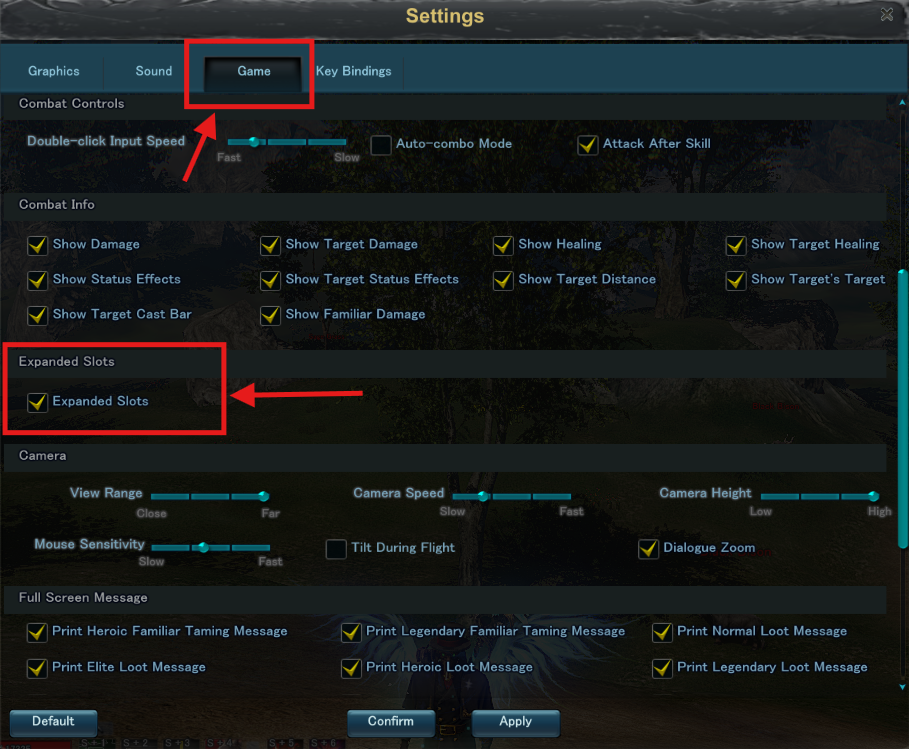
Navigate to the Correct Tab
-
Activate Extra Action Bars
-
Scroll down to about the middle of the settings
-
Look for the option "Expanded Slots"
-
Check the box next to this option
Important Note: